



Entry: Clientless ZTA - Three Paths to Application Access
Welcome back! In this entry, we're diving into one of the most compelling features of Cisco Secure Access – Clientless Zero Trust Access, or as I like to call it, "the VPN killer that actually works." If you've been following along with our zero-trust journey, you know that the traditional perimeter-based security model is about as effective as a screen door on a submarine. So, what's the alternative? Let me show you.
What is Clientless ZTA and Why Should I Care?
Before we dive into the how, let's talk about the why. You know, that thing we always do at the beginning of these posts because context matters!
Traditional VPNs have served us well for decades. You fire up your VPN client, authenticate, and boom – you're "inside" the network with access to everything your permissions allow. But here's the problem: once you're in, you're in. You've got a network-level tunnel that often provides far more access than you actually need for the task at hand. It's like giving someone the master key to your entire building when they only need access to one conference room. Not ideal from a zero-trust perspective, right?
Enter Clientless Zero Trust Access. The beauty of this approach is right there in the name – clientless. No agents to deploy, no VPN clients to troubleshoot, no "can you try disconnecting and reconnecting?" support tickets. Users authenticate through a web portal, and Cisco Secure Access brokers access to specific applications based on policy. The access is application-specific, not network-specific. We're finally doing what we've been talking about for years – providing least-privileged access!
The Three Flavors of Access
In this post, we're going to walk through three common access patterns that Clientless ZTA handles beautifully:
- HTTPS Access – Your standard web applications
- RDP Access – Windows Remote Desktop for server/workstation management
- SSH Access – Command-line access to Linux/Unix systems
What's particularly cool about this is that all three access methods flow through the same application portal, providing a consistent user experience and centralized policy enforcement. Let's get into it!
Setting the Stage – Our Reference Topology
For this walkthrough, we're going to assume a few things (otherwise we'd be here too long!):
- Cisco Secure Access tenant is already provisioned and configured
- Users are authenticating via your identity provider (Azure AD, Okta, etc.)
- The Secure Access Connector is deployed in your environment to broker access to internal resources
- You've already configured your access policies (we'll touch on this, but policy creation deserves its own deep-dive)
Our example environment includes:
- An internal web application running on HTTPS
- A Windows Server that administrators need RDP access to
- A Network Switch that requires SSH access for system administration
Access Pattern #1: HTTPS Application Access
Let's start with the easiest and most common use case – accessing an internal web application. In the traditional model, users would VPN in, then browse to the internal application URL. With Clientless ZTA, it's even simpler.
The User Experience
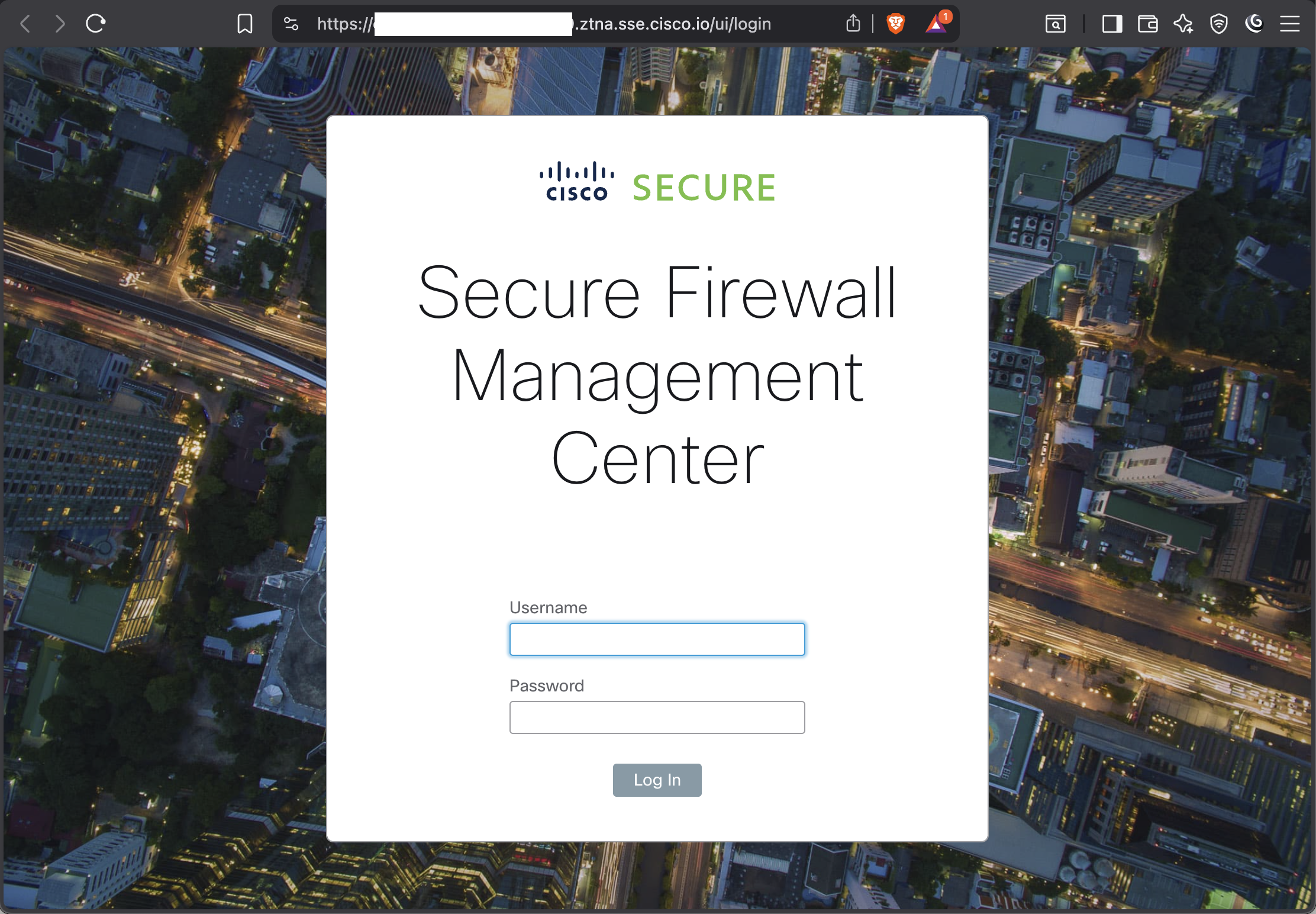
Users navigate to their Secure Access application portal (something like https://your-org.ztna.sse.cisco.io - domain customization is available). After authenticating, they're presented with a clean, organized view of all the applications they have permission to access. It looks something like this:

The user clicks on "Client-less HTTPS" and – here's where the magic happens – they're transparently proxied through to the application. From the user's perspective, they just clicked a link and the application loaded. No VPN tunnel, no client software, just seamless access.
What's Happening Behind the Scenes?
A lot, actually! When that user clicks the application tile:
- Policy Evaluation – Secure Access evaluates the access policy in real-time. Is this user authorized? Is their security posture acceptable? Are they in a sanctioned location?
- Connector/Tunnel Selection – The Secure Access cloud determines which connector/tunnel should broker this connection based on network proximity and health.
- Secure Tunnel Establishment – A secure, application-specific tunnel is established between the user's browser and the Secure Access cloud, and between the cloud and your internal connector (or server via Network tunnel).
- Traffic Proxying – The user's HTTPS requests are proxied through this tunnel to your internal application. The application only sees requests coming from your connector (or network tunnel) – it has no idea the user is external.
From a security perspective, this is beautiful. The user never gets direct network access to your internal environment. They can't pivot to other resources. They can't enumerate your network. They get access to this one application, and that's it. Zero trust in action!
Configuration Considerations
When setting up HTTPS access through the portal, you'll need to configure a few key elements:
- Application Definition – The internal FQDN or IP of your application
- External Name – What users will see in the portal (make it user-friendly!)
- Access Policy – Who gets access and under what conditions
- Connector/Tunnel Group – Which connector(s) can broker access to this resource
One thing I love about this approach: if your internal application uses self-signed certificates or internal PKI, you don't have to worry about distributing root CAs to user devices. The connector handles the internal certificate validation, and the user's browser only sees the Cisco Secure Access certificate. Less certificate management headaches for everyone!
Access Pattern #2: RDP Access
Now let's kick it up a notch. Providing RDP access without a VPN has traditionally been... let's just say "challenging." You either exposed RDP directly to the internet (please don't do this) or users VPNed in. With Clientless ZTA, it's remarkably straightforward.
The User Experience
Back in the application portal, users see their authorized Windows servers listed alongside their web applications. When they click on "Client-less RDP", instead of launching an external RDP client, an HTML5-based RDP session opens directly in their browser. Yes, you read that right – RDP in a web browser with no plugins, no Java, no ActiveX. We're living in the future, folks!
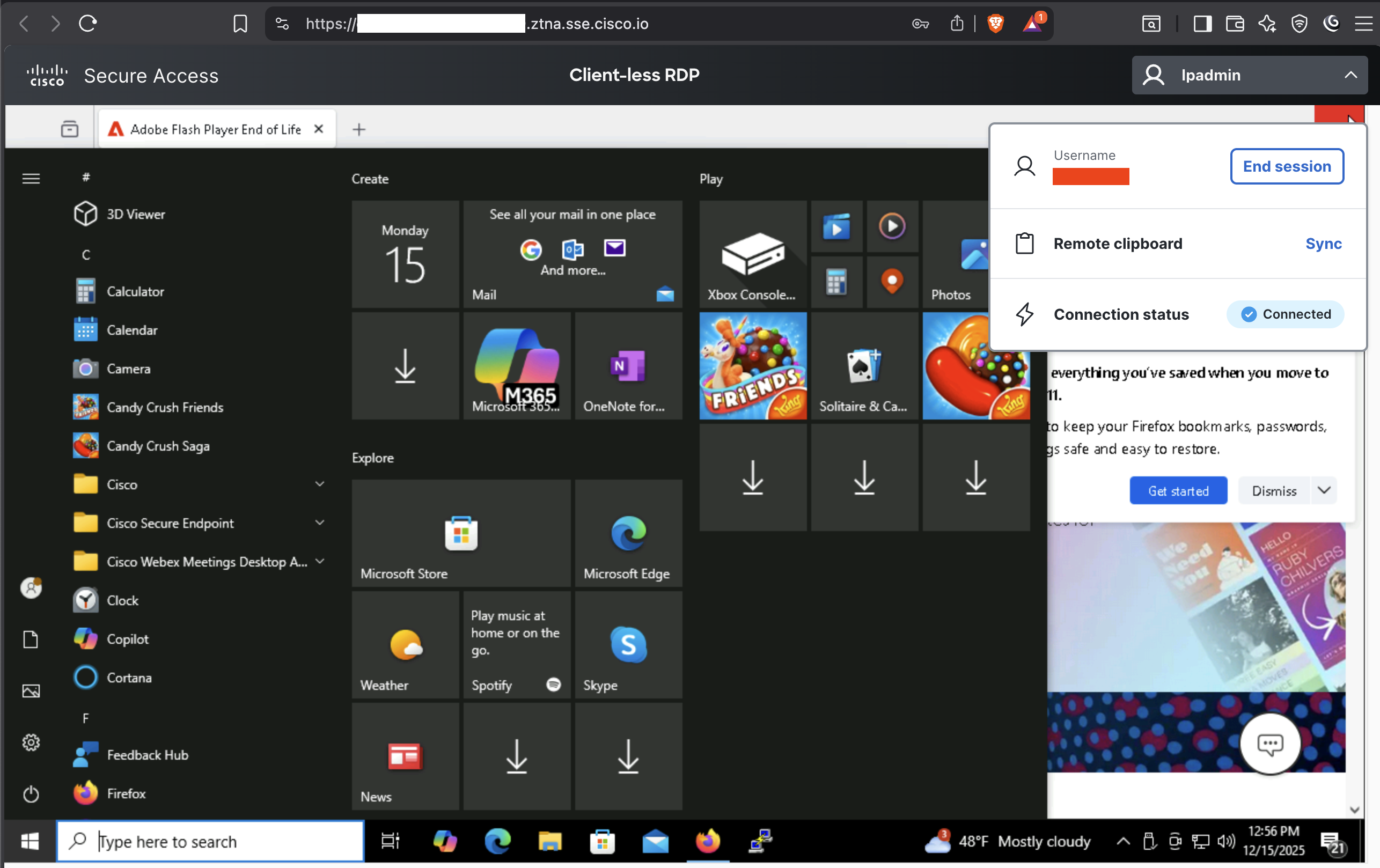
What's Different About RDP?
While the policy evaluation and connector selection work the same way as HTTPS access, RDP requires some additional magic:
- Protocol Translation – The Secure Access cloud includes an HTML5 RDP gateway that translates between the browser-based client and the native RDP protocol.
The Technical Flow
When a user initiates an RDP session:
User Browser
    ↓ (HTTPS/WebSocket)
Secure Access Cloud (HTML5 RDP Gateway)
    ↓ (RDP Protocol)
Secure Access Connector
    ↓ (RDP Protocol)
Internal Windows Server
The beauty of this architecture is that your Windows server never needs to be directly accessible from the internet. It only needs connectivity to your internal connector, which is already deployed in your environment. The RDP port (3389) stays firmly blocked at your firewall, just as it should be.
Configuration Highlights
Setting up RDP access requires a few specific configurations:
- Application Type – Select "RDP" when creating the application definition
- Target Server – Internal hostname or IP of the Windows server
- Port – Default is 3389, but if you're running RDP on a custom port (and you should be!), specify it here
Access Pattern #3: SSH Access
Last but certainly not least, let's talk about SSH. If you manage Linux/Unix/Network infrastructure, SSH access is non-negotiable. And just like RDP, Clientless ZTA makes this beautifully simple.
The User Experience
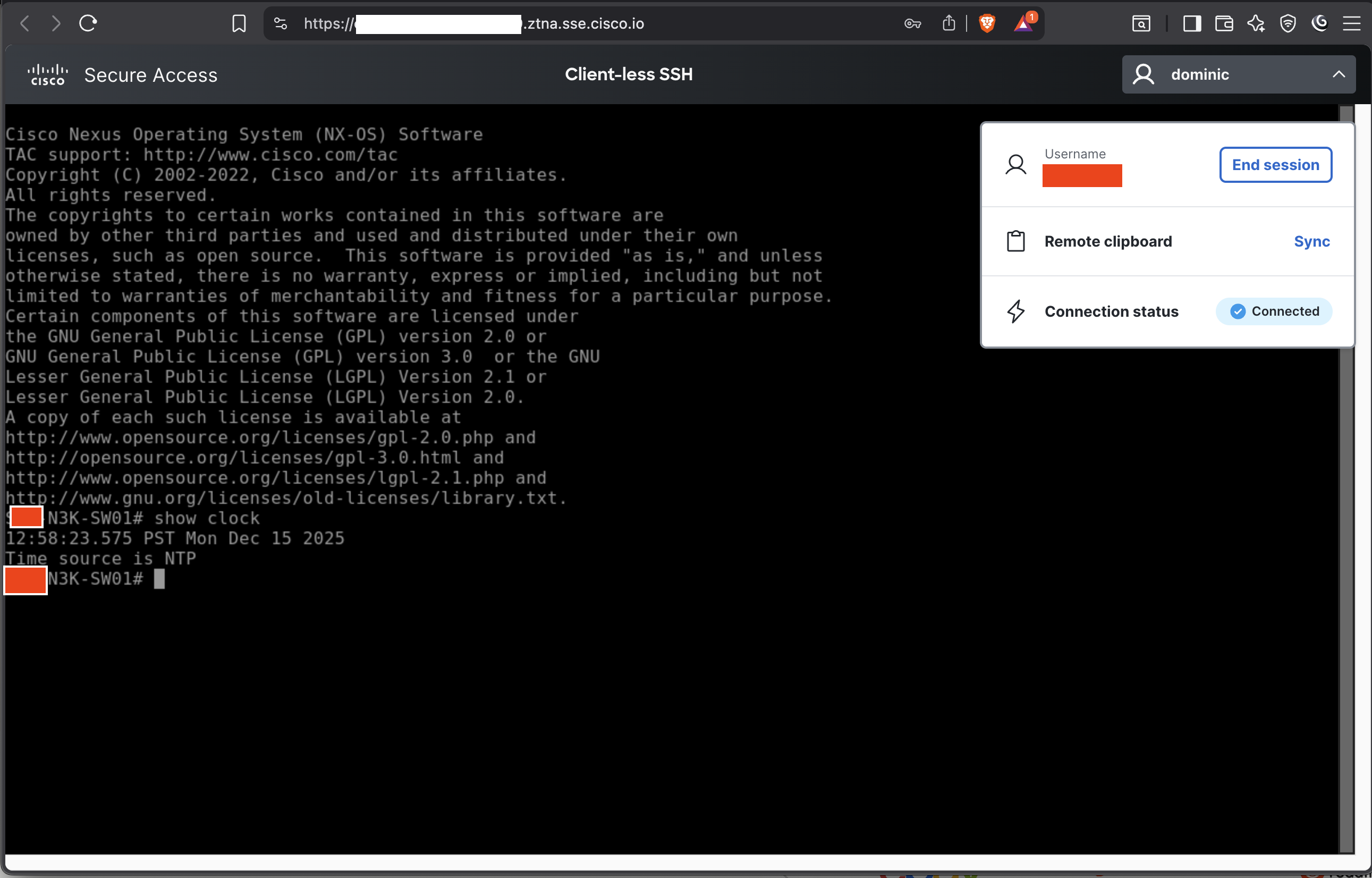
Users click on "Client-less SSH" in their portal, and an HTML5 terminal window opens directly in their browser. They get a full-featured terminal with command history, tab completion, and even terminal emulation options.
The Technical Flow
SSH access follows a similar pattern to RDP:
User Browser
    ↓ (HTTPS/WebSocket)
Secure Access Cloud (HTML5 SSH Gateway)
    ↓ (SSH Protocol)
Secure Access Connector
    ↓ (SSH Protocol)
Internal Linux/Unix Server
Your SSH port (22, or whatever custom port you're using) remains completely hidden from the internet. The connector handles the actual SSH connection to your internal server, while Secure Access handles the web-based terminal presentation to the user.
Configuration Setup
SSH application setup requires:
- Application Type – Select "SSH" when defining the application
- Target Server – Internal hostname or IP of the Linux/Unix/Network server
- Port – Default is 22, specify if using a custom port
Policy Enforcement – The Unsung Hero
We've talked a lot about the user experience and technical flows, but let's take a moment to appreciate the policy engine that makes all of this possible. Every access request – whether it's HTTPS, RDP, or SSH – is evaluated against your access policies in real-time.
These policies can include factors like:
- User Identity – Who is making the request?
- Device Posture – Basic posture policies for things like OS Version and Browser
- Location – Is the user in an approved geography?
- Time of Day – Are they accessing resources during approved hours?
The policy engine evaluates these factors for every single connection attempt. This means that if a user's device falls out of compliance mid-session, their access can be revoked in real-time. That's continuous verification – a core tenet of zero trust.
The Admin Experience
Let's not forget about the folks who have to manage all of this! From an administrative perspective, Clientless ZTA makes life considerably easier:
- Centralized Application Management – All your applications (regardless of type) are managed in one place
- Unified Policy Framework – Write policies once, apply them across all access patterns
- Comprehensive Logging – Every connection, every session is logged
- No Client Deployment – This cannot be overstated. No software to deploy, no updates to manage, no compatibility issues to troubleshoot
When you need to grant access to a new application, you're not deploying new infrastructure or updating VPN configurations. You're adding an application definition to Secure Access and assigning it to the appropriate users. The process literally takes minutes.
Common Gotchas and How to Avoid Them
Because I wouldn't be doing my job if I didn't warn you about the pitfalls! Here are some things to watch out for:
Connectors/Tunnels Placement
Your connectors/tunnels need to be able to reach your internal applications. This sounds obvious, but I've seen deployments where the connector was in the DMZ and couldn't reach internal resources without additional firewall rules. Plan your connector placement carefully!
DNS Resolution
If you're using internal DNS names in your application definitions, make sure your connectors can resolve them. The connector needs to be able to translate that hostname to an IP address.
Certificate Validation
For HTTPS applications, the connector validates the internal application's certificate. If you're using internal PKI, make sure your connector trusts your internal CA. Otherwise, you'll need to configure certificate validation exemptions (which, let's be honest, isn't ideal from a security perspective).
Authentication Intervals
Be thoughtful about session timeout policies. Too short and you'll annoy users with constant re-authentication. Too long and you increase risk. Find the balance that works for your environment.
Real-World Benefits
Let's talk about what this actually means for your organization:
For Security Teams
- Reduced attack surface (no more exposed RDP or SSH ports)
- Comprehensive session auditing
- Real-time access revocation based on risk
- No more VPN sprawl
For IT Operations
- No VPN clients to deploy or troubleshoot
- Simplified remote access for contractors/vendors
- Reduced help desk tickets
- Easier onboarding and offboarding
For End Users
- Single portal for all access needs
- Works from any device with a browser
- No software to install or update
- Consistent experience regardless of application type
For Compliance
- Complete audit trail of all access
- Policy-based access controls
- Access reporting
What's Next?
We've covered the basics of Clientless ZTA with three common access patterns. But this is really just scratching the surface. In future posts, we might dive into:
- Advanced policy creation and conditional access
- Integrating Clientless ZTA with privileged access management
The shift to zero trust isn't just about implementing new technology – it's about rethinking how we approach access control. Clientless ZTA represents a fundamental improvement over the "connect to the network, then access resources" model we've been using for decades. It's application-centric, policy-driven, and actually makes users' lives easier while improving security. That's a rare combination!
Have questions about your specific use case? Want to debate the merits of different Zero Trust deployment architectures? Hit me up in the comments! And as always, thanks for reading!
Disclaimer: Technologies evolve, features change, and your specific environment may have unique requirements. Always consult the official Cisco documentation and work with your Cisco account team to design a solution that meets your specific needs. Also, test in a lab environment first. You know the drill!
Thanks for reading, and remember - in zero trust, never trust, always verify... even your traffic steering configurations! Let us know if you have any questions about your security infrastructure at sales@lookingpoint.com.